Exams / CSCO-100-160 / D5 Endpoint Security Concepts
D5.1
Endpoint Security Concepts
- Exam domain: Endpoint Security Concepts
Windows host logs
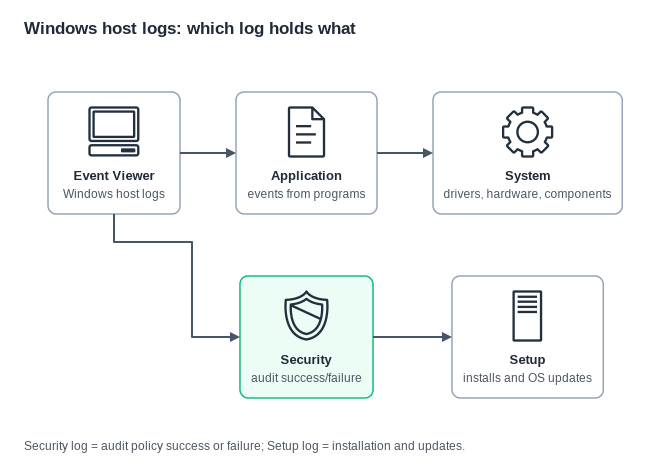
| Log | Contains |
|---|---|
| Application | Events logged by applications; the developer decides which events to record |
| System | Events logged by system components, e.g. a driver failing to load at startup |
| Security | Audit events (success/failure of audit policy); auditing must be enabled |
| Setup | Software installation and OS update events |
- "An administrator can start auditing to record events in the security log."
- PowerShell is "a task-based command-line shell and scripting language designed especially for system administration" (MS-DOS and MMC are not scripting shells; Vim is a text editor).
Protecting data and isolating code
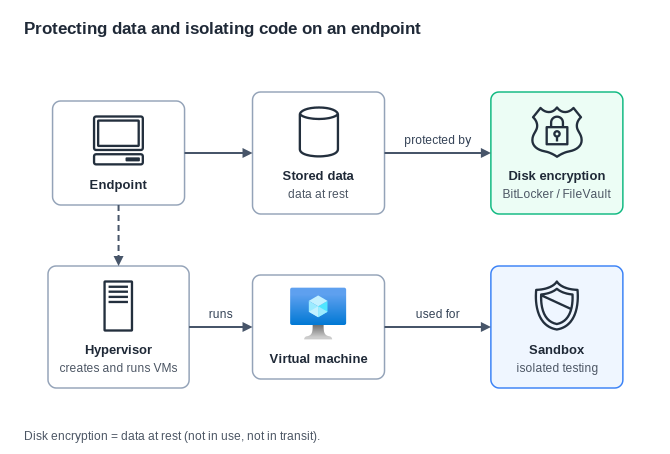
| Concept | Key point |
|---|---|
| Full-disk encryption | Protects data at rest; BitLocker (Windows) and FileVault (macOS) encrypt the whole volume |
| Hypervisor | Creates and runs virtual machines (Hyper-V is a type-1 hypervisor) |
| Sandbox | Runs suspicious applications in an isolated, disposable environment so analysts can observe them |
| macOS features | FileVault = disk encryption; Gatekeeper = app trust; XProtect = built-in anti-malware; SIP = protects system files |
Management, patching and policy
- Asset management (inventory) lets the team track OS versions, updates and patches per device; Intune-style endpoint management enrolls, configures, secures and updates devices.
- After an OS update breaks a peripheral (e.g. wireless printer), install a new device driver.
- IoT devices: update firmware regularly.
- BYOD policy: strong password/PIN, encryption of corporate data, only secure/approved apps. Not: wiping all personal data, bigger data plan.
- HIPAA mobile devices: best safeguard is a policy that ePHI is not stored on mobile devices.
- Privilege escalation: attacker starts with low access (guest) and obtains root/admin; DDoS, brute force and buffer overflow do not fit.
- Linux
ls -l(long listing) shows permissions and ownership of files.
Exam traps
- Disk encryption = data at rest, never in use/in transit.
- "ls -l" lists; it does not open, navigate or display file content.
- Setup log = updates/installs; System log = drivers/hardware.
- BYOD: "delete all personal data" is not a typical requirement.