Exams / SF-AS / D1 Prompt Engineering
Prompt Engineering (part 1 of 2)
- Exam domain: Prompt Engineering
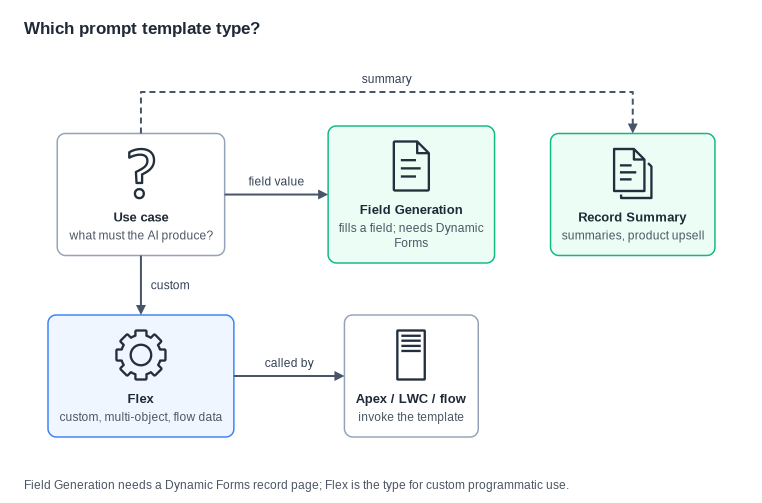
Template types
| Use case | Template type |
|---|---|
| Fill a field with generated content | Field Generation (needs a Dynamic Forms record page) |
| Summarise a record, recommend products to upsell | Record Summary |
| Draft a sales email | Sales Email |
| Custom or programmatic use (Apex, LWC, flow data) | Flex |
Building and running a template
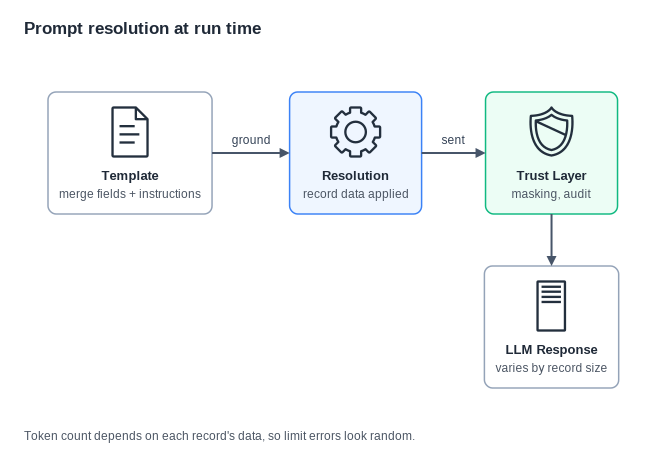
Steps: pick the type, write the prompt in the workspace, insert resources/merge fields to ground it with CRM data, pick the model, then preview, test and validate. Preview shows Resolution (the resolved prompt sent through the Trust Layer) and Response (the LLM output). A Flex preview needs test records selected first.
| Topic | Fact |
|---|---|
| Versions | An activated version is immutable; create a new version to change it |
| Permissions | Prompt Template User runs templates; Prompt Template Manager builds them |
| Customising a standard template | Save as New Template (a new version only overrides overridable ones) |
| Summaries | A custom Record Summary template overrides the standard one for the object |
| Flex + flow | Use the Flow Instructions element |
| Invoking | Screen flow (Prompt Template action) for custom UX; Apex for LWC |
| Field Generation | Assign the template to the field in Lightning App Builder (Dynamic Forms) |
Prompt design and grounding
Be concise, clear and consistent; give a role and context; use explicit output instructions plus examples for strict formats; ground with CRM data and iterate. Grounding data respects field-level security (missing fields become placeholders). Resolved prompt size varies per record, so token-limit errors look random. For stale documents, a retriever can "define filters to narrow the search scope" (e.g. last-updated date). Make agent action instructions distinct so the right action is selected.
Exam traps
- "Dynamic Fields" does not exist; the requirement is Dynamic Forms.
- Activating a Field Generation template does not attach it to the field.
- Save as New Version is not how you customise a standard template.
- Flex is for custom/programmatic use, not for fields or summaries.
- Re-uploading files does not retire old documents; filter the retriever.