Match each Microsoft Purview Insider Risk Management workflow step to the task it corresponds to. Drag the appropriate step from the column on the left to its matching task on the right. Each step may be used once, more than once, or not at all.
Text version
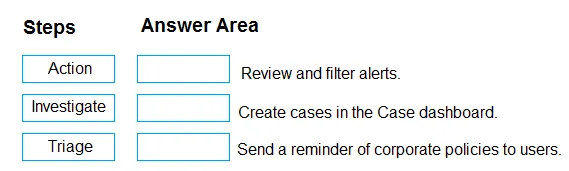
Steps (drag items): Action; Investigate; Triage
Answer Area (three empty drop boxes), each next to a task:
- Review and filter alerts.
- Create cases in the Case dashboard.
- Send a reminder of corporate policies to users.
Drag an item to a slot, or select an item and then a slot. Items can be used more than once.
Review and filter alerts.
Create cases in the Case dashboard.
Send a reminder of corporate policies to users.