You are provisioning an Azure SQL database in the Azure portal, as shown in the following exhibit.
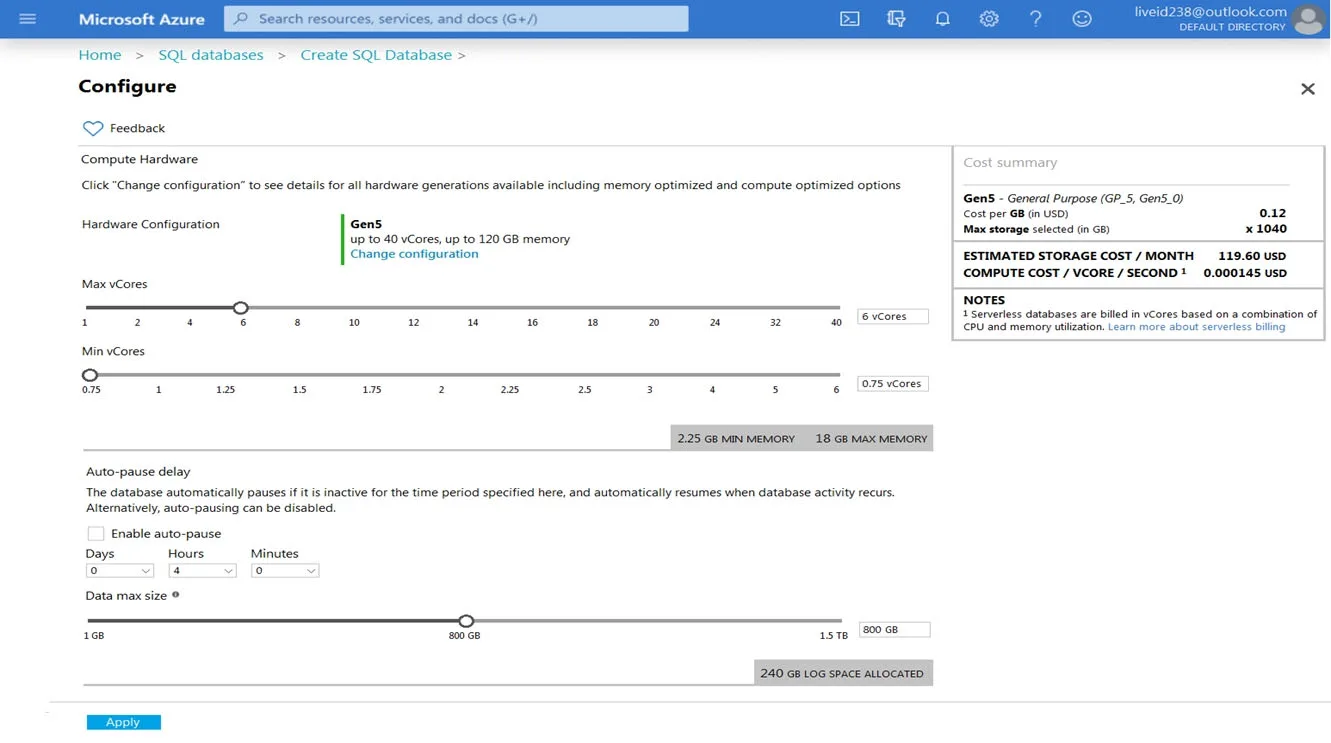
Text version
Azure portal — Home > SQL databases > Create SQL Database > Configure
Compute Hardware: Click "Change configuration" to see details for all hardware generations available including memory optimized and compute optimized options
Hardware Configuration: Gen5 — up to 40 vCores, up to 120 GB memory (Change configuration)
Max vCores: 6 vCores (slider scale 1, 2, 4, 6, 8, 10, 12, 14, 16, 18, 20, 24, 32, 40)
Min vCores: 0.75 vCores (slider scale 0.75, 1, 1.25, 1.5, 1.75, 2, 2.25, 2.5, 3, 4, 5, 6)
2.25 GB MIN MEMORY · 18 GB MAX MEMORY
Auto-pause delay: The database automatically pauses if it is inactive for the time period specified here, and automatically resumes when database activity recurs. Alternatively, auto-pausing can be disabled.
Enable auto-pause: unchecked
Days: 0 · Hours: 4 · Minutes: 0
Data max size: 800 GB (slider 1 GB – 1.5 TB) · 240 GB LOG SPACE ALLOCATED
Cost summary: Gen5 - General Purpose (GP_5, Gen5_0)
Cost per GB (in USD): 0.12 · Max storage selected (in GB): x 1040
ESTIMATED STORAGE COST / MONTH: 119.60 USD
COMPUTE COST / VCORE / SECOND (1): 0.000145 USD
NOTES: 1 Serverless databases are billed in vCores based on a combination of CPU and memory utilization. Learn more about serverless billing
Button: Apply